Interaction System
I was the sole engineer in charge of building the core interaction system of the game. IGAs will be used in as shorthand for Interaction Game Actions.
Interaction Pain Points of the Past
Interactions used to be executed as game actions where you define the montage to play on the character. This was very inflexible and was unable to handle a change where we had to dynamically assign different kinds of IGAs to different objects at the start of a scene. So you may have a character pouring tea at a jukebox, which is not ideal. The cost and reward were also defined on the IGA and had a similar issue to the mismatching animation problem.
Interaction Actors
I created a new MidInteractionActor class that houses a Smart Object Component that has a SmartObject Info defined. The Smart Object Info has information on what an interaction looks/does in relation to this actor. Different kinds of Interactions can have different Smart Object definitions depending on placement and behavior. I made a re-usable "single slot in-place" SmartObject definition that follow the pattern of many interactions in the project.
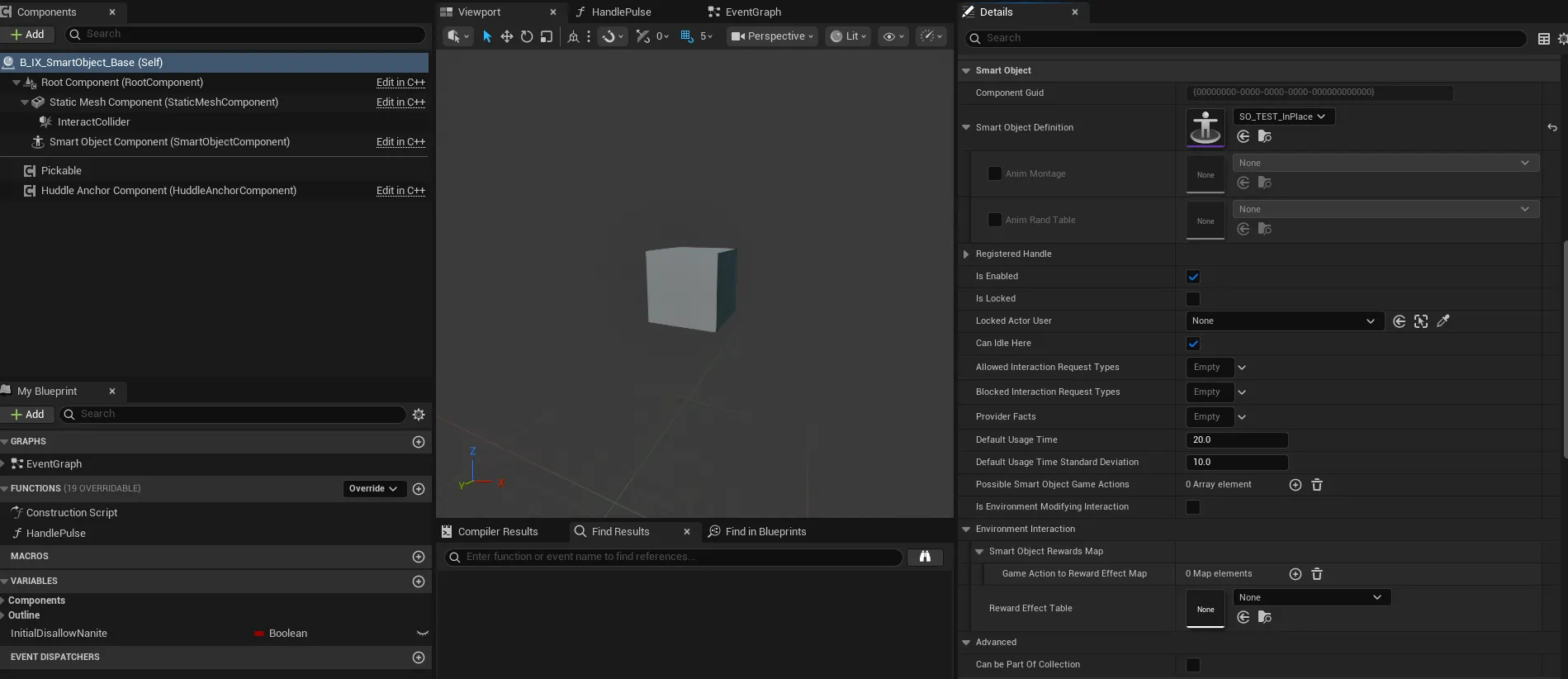
Interaction actors have an assigned Smart Object definition that determines slot placement and the gameplay interaction state tree that gets run in each slot. Each Smart Object definition exposes a variable for what animation asset it needs to visualize properly. The Gameplay Interaction State Tree will take the animation assets recieved by the Smart Object definition to create the proper context for the state tree to run.
New Smart Object Definitions
A benefit of the refactor is that we could cull alot of repetitive SmartObject definition assets we defined for every single interaction in the project. By making Smart Object Definitions that had common slot placement and character animation behavior, we could simply re-use a generic definition with a state tree that could handle all the specifics of the visualization. This also meant we could decouple the animation that needs to play from the IGA.
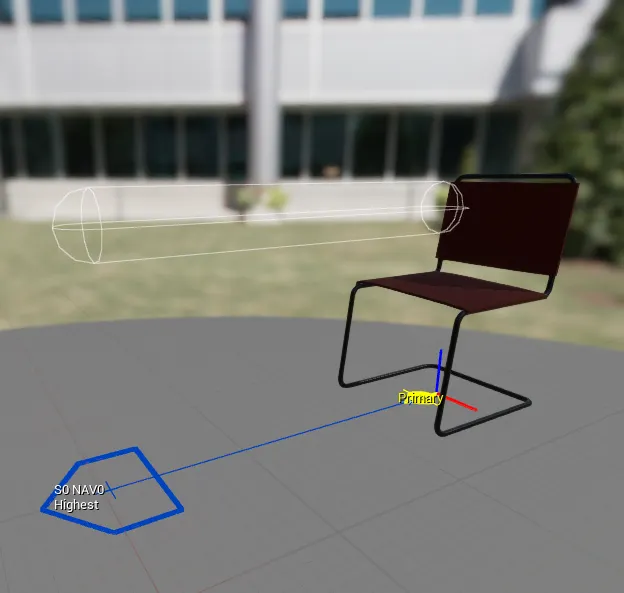
Of course you can still make a new Smart Object definition for unique interactions that have different requirements and placements. You can make a new one to accomodate a variety of entrances/exits, different number/placement of slots, unique behaviors in specific slots, etc. Until Smart Object definitions become more flexible, we need to define a new definition for interaction actors that are more complicated. An example is a bar with patrons and staff behaving differently and constrained to certain slots (patron side/employee side). The visualization requirements for each slot may need different animation assets as well.
Gameplay Interaction State Tree Schemas
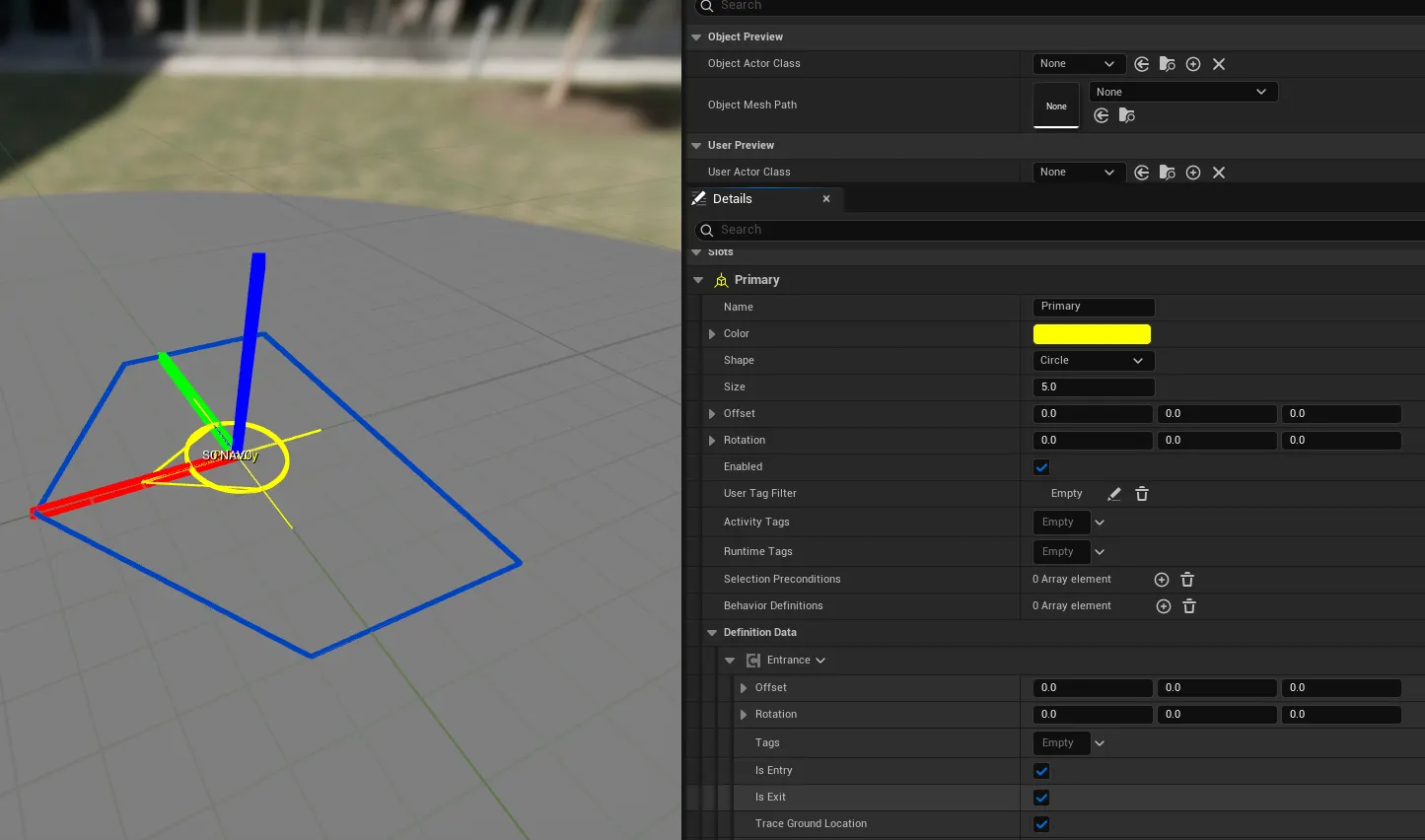
In each Smart Object definition, we define a Gameplay Interaction State Tree to run when characters interact with the object. Several common behavior patterns are present in our game. Pose & Fidget interactions are indefinite interactions, like standing idles, where characters can stay for a prolonged period of time before leaving. Single Montage interactions where they do a single animation and then leave afterwards, like doing a custom happy dance at a jukebox. Contextual Animation interactions where a contextual animation plays and the player can leave. These were mainly defined for common appliance interactions like opening a fridge or microwave. As a proof of concept, I also made a state tree for contextual animations of two character talking to each other using slot events and tags. It wasn't implemented in game, but it now existed if we needed it.
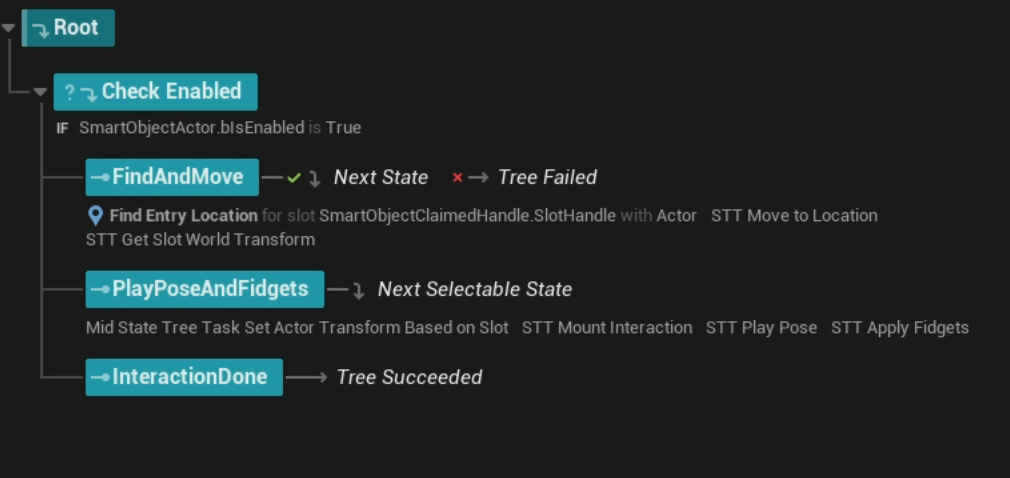
Most smart object definitions only need the default slot behavior definied, so that all slots use the same gameplay interaction state tree. For a more complicated interaction like a bar, you can define a unique state tree per slot if needed. Bar patrons may use a gameplay interaction tree that needs Animation Montages versus employee slots that use Pose and Fidget interactions.
Interaction Director Component
The Interation Director Component I made was the arbiter of what the pool of valid interactions were at any time, how long characters could use the interact for, what and how they selected interactions next, and recieved requests for characters to use a new interact. A shelved implementation I had helped with further custom scoring based on what behavior we wanted. An example is "homebase" behavior where characters would primarliy prefer their "homebase", like somebody and their work desk.
When the player clicks on the UI to select an interaction to go to, it sends a request to the Interaction Director Component to choose and send them to the selectecd interact. The Interaction Director Component at any given time always knew what interactions had free slots and if they were valid selections for the character the component was attached to. The Interaction Director Component just verifies that the request is valid before sending a state tree event to the new character AI state tree running on the character actor.New Character AI Tree
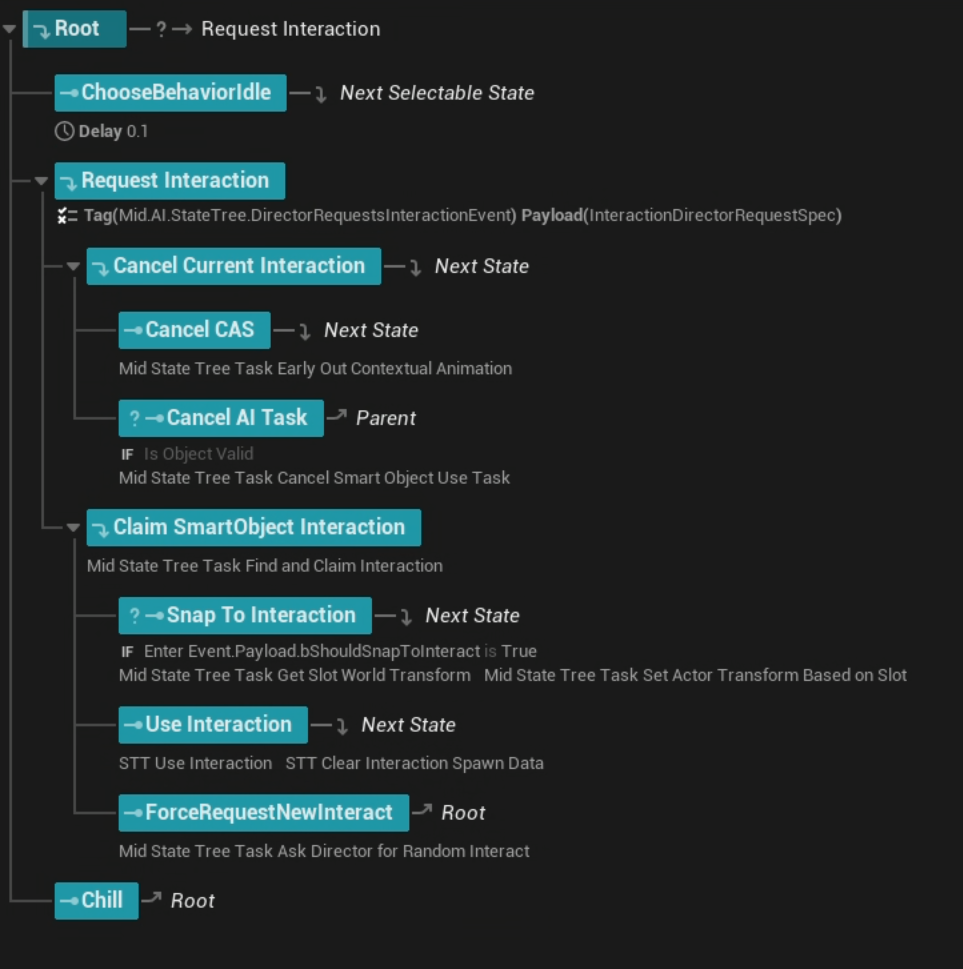
The old state tree was unnecessarily long.
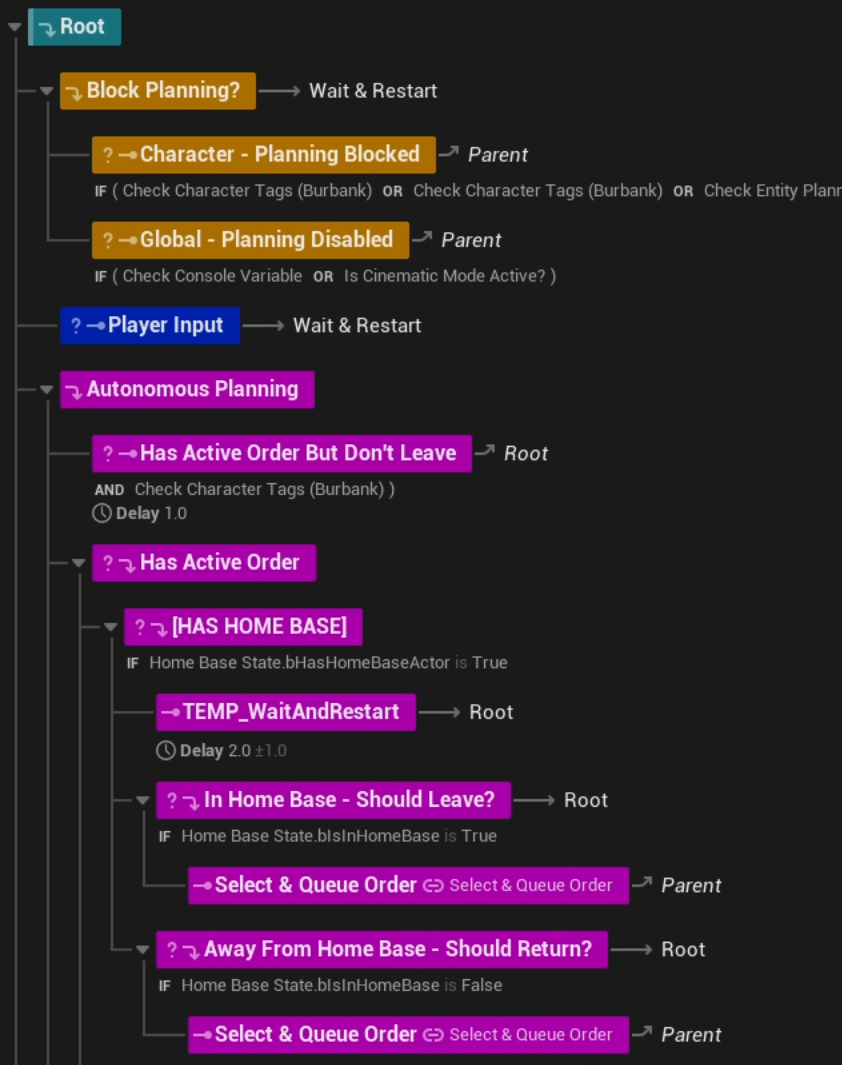
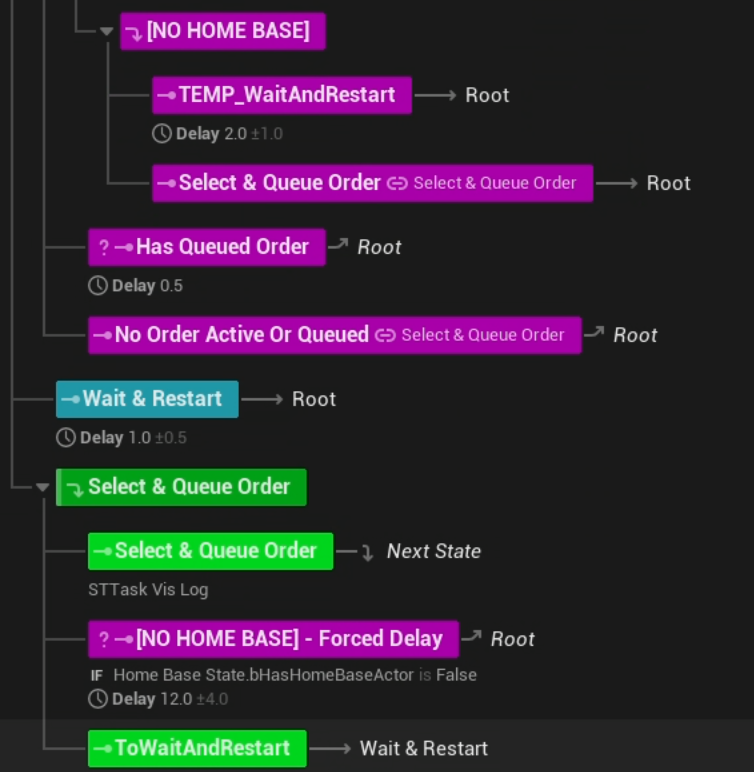
With the Interaction Director Component doing the heavy lifting of all the validity checks, the character AI state tree could be condensed to: "if there is a signal for me do go do something, just go to it.". The state tree also just had to cope with unique situations for canceling any existing AI Tasks that were running from the previous interaction, so it just needed to properly cleanup after montages, contextual animations, and pose & fidget animations.